
Maintenance 5 min July 2026
Summer Heat Emergency in Vicenza: Why Your PC Is About to "Melt"
Summer heat is no joke — and your PC knows it. CPU, GPU and PSU battle Thermal Throttling, the silent killer of performance.
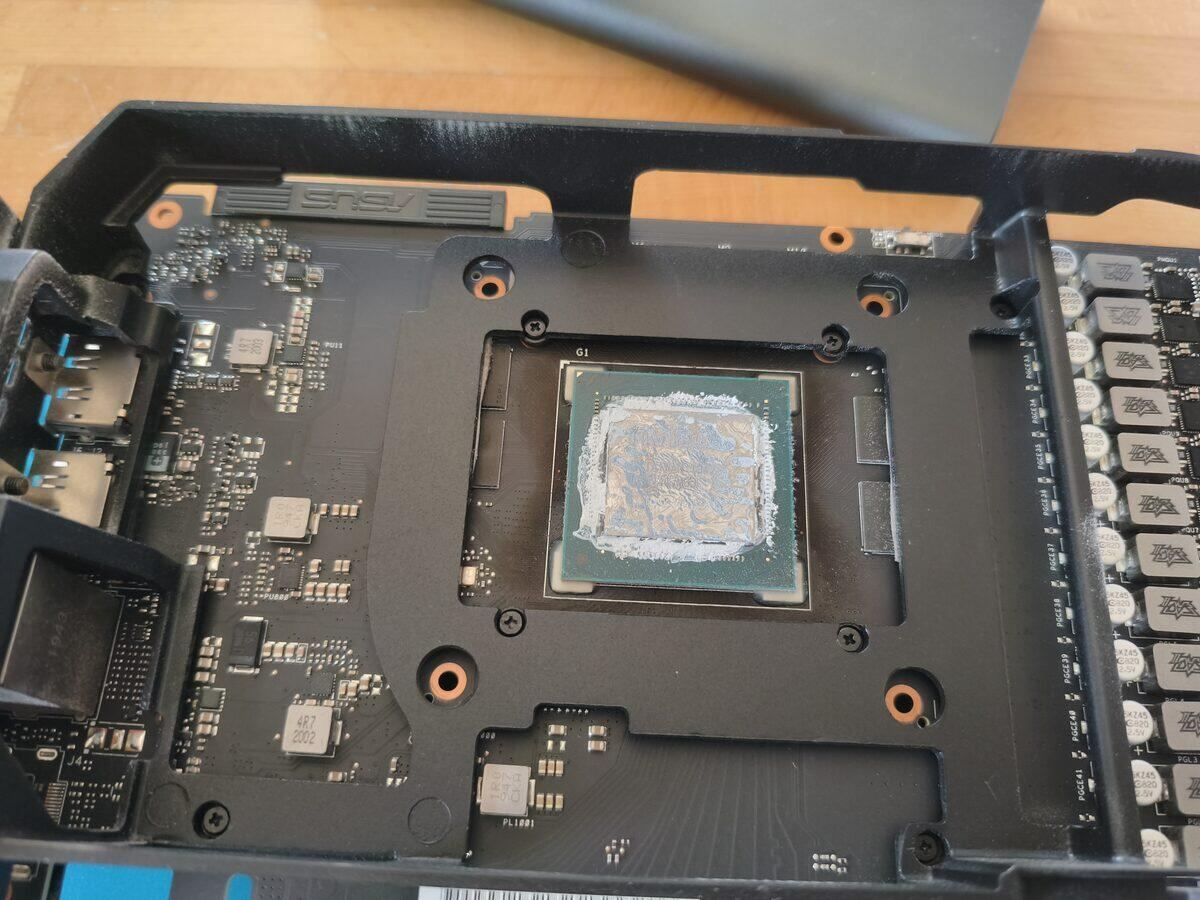
Summer heat is no joke — and your PC feels it. A computer running at critical temperatures for weeks accumulates damage that only shows up months later. This isn't just about slowdowns: it's about hardware longevity.
What Is Thermal Throttling?
When your CPU or GPU reaches its maximum safe temperature, the system automatically reduces clock speed to lower the heat generated. This mechanism is called Thermal Throttling — it protects the hardware, but at the cost of performance.
The practical result: your PC slows down exactly when you need it most. You're gaming or crunching through a heavy project, and suddenly everything crawls. It's not a virus, it's not the drive — it's heat.
Warning Signs You Shouldn't Ignore
- ▸PC slow only during the hottest hours of the day
- ▸Fans running full blast even with few apps open
- ▸Sudden shutdowns without warning
- ▸Visual glitches or artifacts on screen during gaming (GPU in crisis)
- ▸CPU temperatures above 90 °C as reported by HWMonitor or similar tools
The Most Common Causes
In 90% of the cases I see at the Garage, the problem comes down to one thing: dried-out thermal paste and dust-clogged heatsinks. Thermal paste degrades over time and stops conducting heat effectively. Dust on the heatsink fins creates an insulating layer that blocks airflow entirely.
Combined with Vicenza's summer heat, these two factors can turn even a healthy PC into an oven.
What I Do at the Garage
My standard thermal service for an overheating PC includes:
- ▸Full disassembly and professional heatsink cleaning with compressed air
- ▸Old thermal paste removal with proper solvents (pure isopropanol)
- ▸Application of certified thermal paste (Thermal Grizzly Kryonaut or equivalent)
- ▸Fan inspection: speed, noise levels, bearing wear
- ▸Post-service telemetry — I verify temperatures under real load before closing up
- ▸Cable management check for airflow optimization if needed
How Often Should You Do This?
Generally, every 2–3 years for a desktop in a normal environment. If you have pets at home, the PC runs 24/7, or it lives in a dusty room — every year. Laptops have shorter cycles: every 12–18 months they typically need a service.
The cost of a preventive thermal service is always less than a burnt-out motherboard.
📍 Lab in Polegge, Vicenza — Near Camp Ederle
If your PC is running hot, bring it in for a free diagnosis. I'll tell you right away if a thermal service will fix it or if there's something more serious — no sugarcoating.
Got a similar problem?
Bring me your PC or console — free diagnostics and no-obligation quote.
Message me on WhatsAppRequest a Quote
The Lab
Il Garage dei PC — Polegge, Vicenza.
Mon–Fri 8:30am–12:30 / 2:30–6:30pm
Sat 8:30am–12:30
Need a Technician Now?
PC, laptop and console repairs in Vicenza — by appointment, no hidden costs.