
Console 4 min February 2026
PS5 Overheating: How I Tell a Serious Problem from a Minor One
The PS5 is designed to run loud. But when does noise become an alarm? Signs you shouldn't ignore and the difference between a simple service and a real repair.
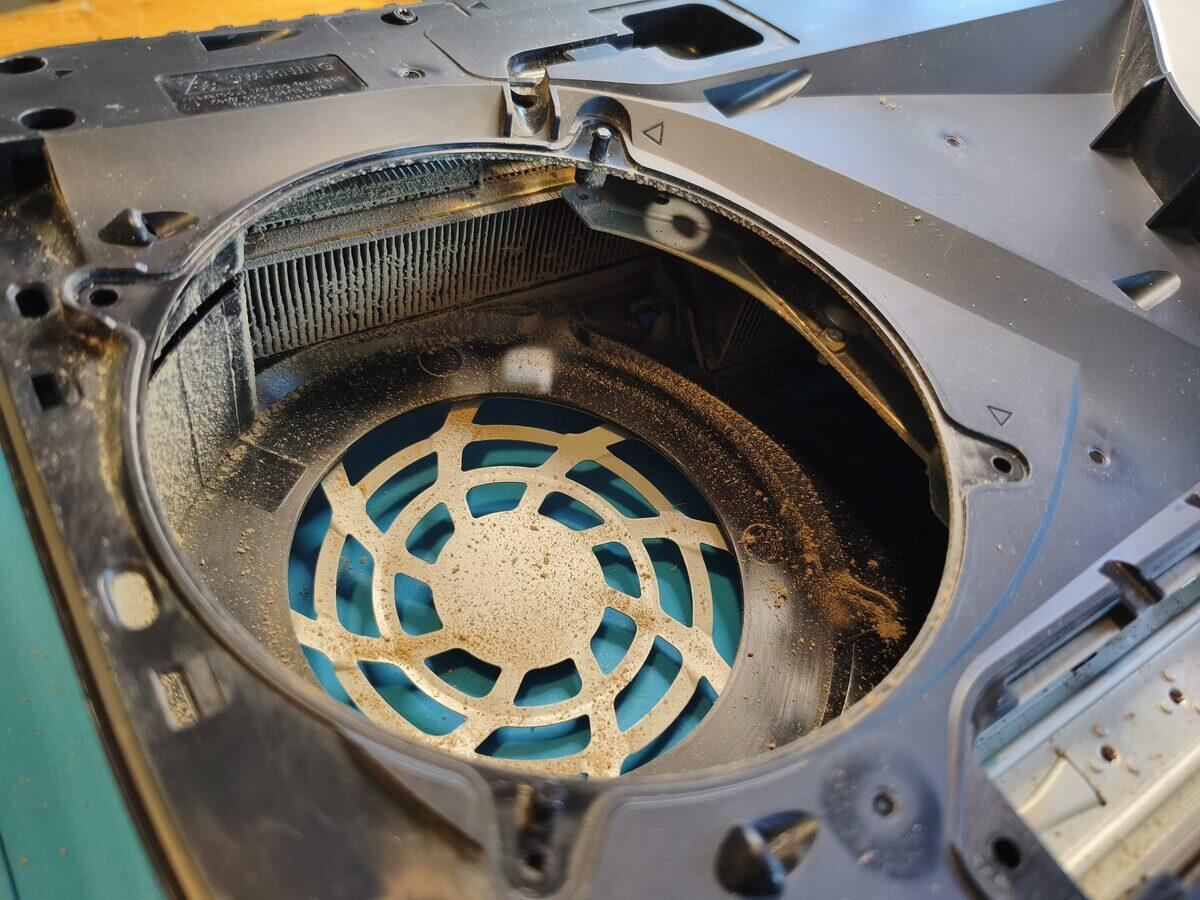
The PS5 is a console that generates serious heat — that's by design. Sony built an impressive cooling system to handle the APU's power draw. But there's a meaningful difference between "normal fan noise" and "something is going wrong" that's worth knowing.
What's Normal
- ✓Fan ramping up during demanding games (God of War, Horizon, open-world titles)
- ✓PS5 warm to the touch on the top or rear of the case
- ✓Heat you can feel coming from the top exhaust vent
- ✓Small mechanical sounds at startup or during game loading
Warning Signs Something's Wrong
- ✗Fan running at full blast even on the home menu (no game running)
- ✗PS5 shutting itself off with an overheating message
- ✗Declining performance — frame rate dropping on games that used to run fine
- ✗Irregular fan noise with clicking or squealing sounds
- ✗Console running uniformly hot even in standby mode
- ✗Error codes CE-108255-1 or similar related to heat
The Most Common Causes
1. Dust Buildup
PS5s draw air from below and exhaust it from the top. Over time, dust accumulates on the side vents and the internal heatsink, dramatically reducing airflow. Sony itself recommends cleaning the vents every 3–4 months with a light vacuum.
2. Degraded Thermal Interface
The PS5's APU (CPU + GPU combined) generates concentrated heat. The original thermal interface degrades after 2–3 years of heavy use. When that happens, heat isn't transferred efficiently to the heatsink — and the fan spins up to compensate.
A thermal interface refresh is the single intervention that makes the biggest long-term difference: temperature drops of 10–15 °C are common.
3. Poor Placement
The PS5 needs space around it, especially above and below. In a closed entertainment unit, even a perfectly maintained console will overheat. Minimum 10 cm clearance on all sides.
4. Fan Failure
Less common, but it happens: the fan loses efficiency or fails completely. In that case the problem is mechanical, not just thermal.
How I Fix It
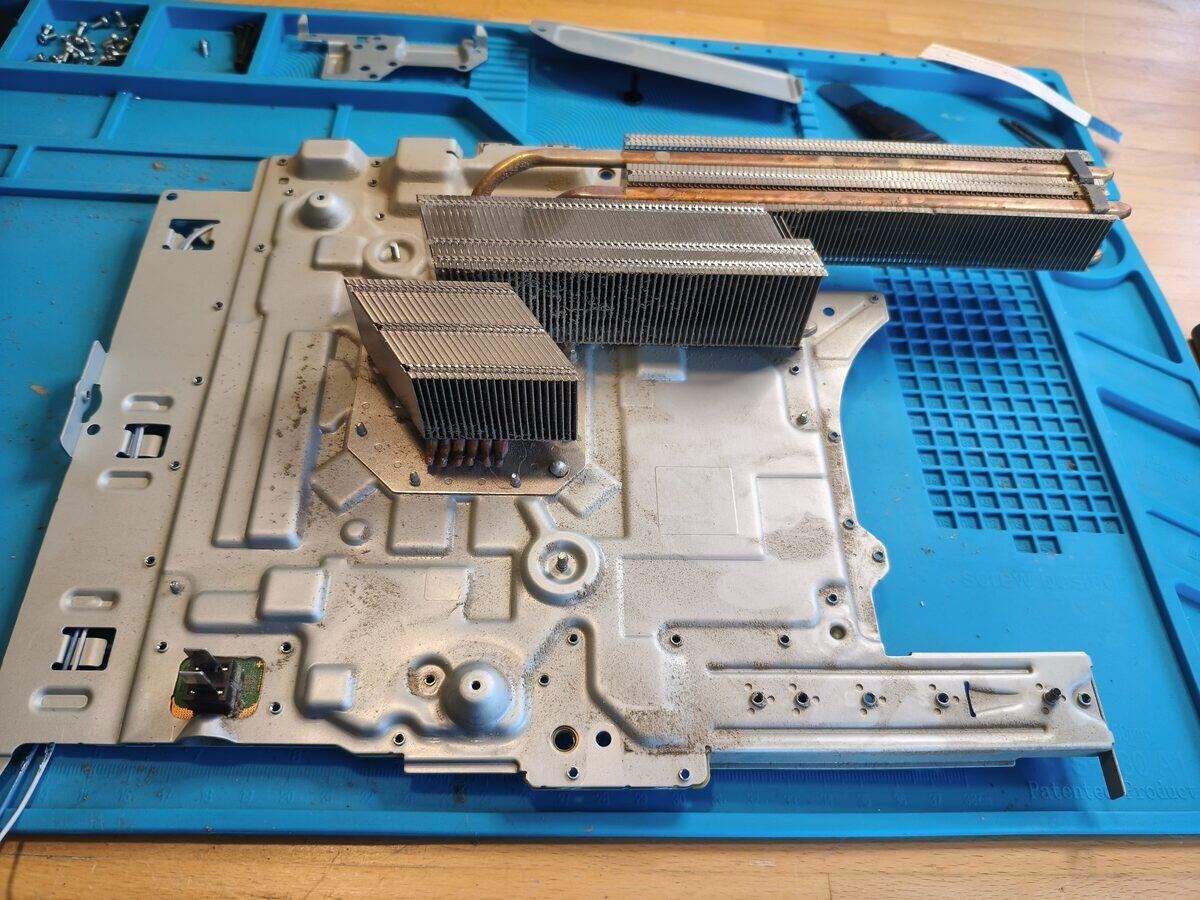
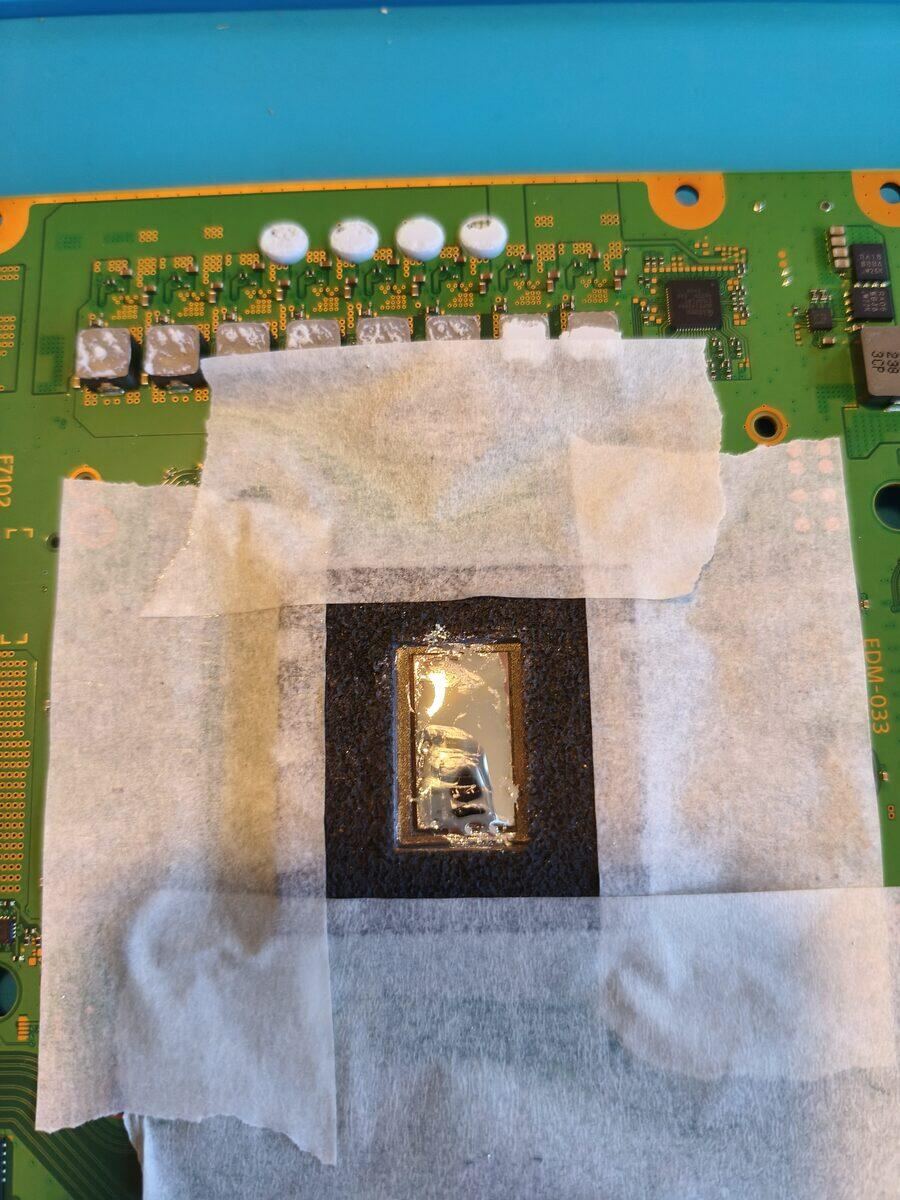
My standard intervention on an overheating PS5 covers: full internal cleaning, thermal interface refresh with certified compound (Thermal Grizzly Kryonaut), fan inspection, and post-service testing with temperature monitoring.
If there's a more serious hardware issue (dry joint, capacitors, fan failure), I tell you upfront what it involves and what it costs to fix — no surprises.
🎮 Bring Your PS5 to Vicenza
Lab in Polegge, Vicenza — by appointment, near Camp Ederle / USAG Italy. Free diagnosis, honest quote. If it's not worth fixing, I'll be the first to tell you.
Got a similar problem?
Bring me your PC or console — free diagnostics and no-obligation quote.
Message me on WhatsAppRequest a Quote
The Lab
Il Garage dei PC — Polegge, Vicenza.
Mon–Fri 8:30am–12:30 / 2:30–6:30pm
Sat 8:30am–12:30
Need a Technician Now?
PC, laptop and console repairs in Vicenza — by appointment, no hidden costs.